
×
July 28, 2026 |
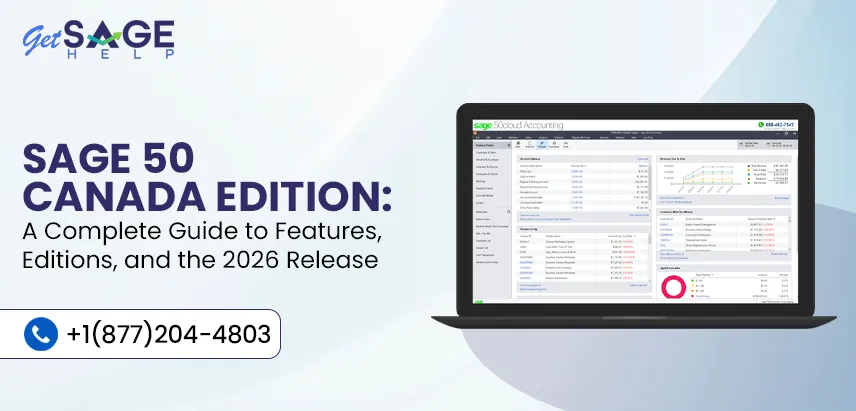
When you’re considering accounting software and you run a small or mid-sized business in Canada, you’ll most likely have come across Sage 50 Canada Edition since it is one of the best-known desktop accounting programs specifically designed to meet Canadian tax rules, payroll requirements, and businesses that have to work with two languages. The guide below explains what the software actually does, how its different editions vary, and what changes have been made in the most recent Sage 50 Canada 2026 edition release.
The following table provides a short summary of the content of the article on Sage 50 Canada Edition.
| Aspect | Details |
| Product name | Sage 50 Accounting, Canadian Edition |
| Built for | Small to mid-sized Canadian businesses |
| Available editions | Pro, Premium, Quantum, Accountants Edition |
| Latest major release | 2026 (with updates 2026.0, 2026.1, 2026.2) |
| Core focus | Bookkeeping, payroll, invoicing, inventory, tax compliance |
| Tax compliance | GST, HST, PST, QST, and provincial payroll rules |
| Deployment | Desktop installation, with cloud access options |
| Ideal for | Businesses that want desktop-level control with Canadian-specific compliance built in |
Sage 50 Canada Edition is accounting software that has been developed with Canadian business practices in mind. Instead of starting with a general accounting program and then adapting it to comply with local tax regulations, it was from the outset designed with facilities for dealing with GST, HST, and provincial sales tax. The program contains modules for the general ledger, accounts payable and receivable, payroll, inventory management, job costing, and financial reporting, all of these being part of the same system.
What sets it apart from a number of its cloud-only competitors is that it is still essentially a desktop application, a feature which appeals to companies that want their financial data stored locally, not only in the cloud. Meanwhile, the most recent versions have incorporated connected services that aid in bridging the gap between desktop control and the convenience of the cloud.
Sage 50 Canada consists of several editions and is tailored to meet the needs of businesses that vary in size and complexity.
| Edition | Best suited for | Notable capabilities |
| Pro | Solo operators and very small businesses | Core bookkeeping, invoicing, basic payroll |
| Premium | Growing small businesses | Advanced inventory, budgeting, multi-user access |
| Quantum | Mid-sized companies with more users | Role-based permissions, higher user counts, industry-specific tools |
| Accountants Edition | Bookkeeping and accounting firms | Client file management, working papers, multi-client tools |
The Pro version does have the essential features if you’re just getting started. But when your volume of transactions, the number of staff members, or your reporting needs increase, it makes more sense to switch to Premium or Quantum.
Regardless of which edition you use, a few features tend to matter most to day-to-day users:
The 2026 version of Sage 50 Canada was released in stages rather than as a single update, the different stages being given the designations 2026.0, 2026.1 and 2026.2. The following summary details the features introduced at each stage, as stated in Sage’s official release documentation.
| Release | Key updates |
| 2026 | Introduced AI-assisted document capture for accounts payable, added a customer account portal for faster payment collection, allowed reuse of serial numbers across future upgrades, and improved error messaging for troubleshooting |
| 2026.1 | Delivered payroll tax table updates for January 1, 2026, covering CPP, QPP, and federal tax bracket changes |
| 2026.2 | Renamed the customer payment portal to AR Automation, improved vendor matching accuracy in AI Document Capture, added single sign-on through a unified Sage account login, introduced early access to Sage 50 Cloud, and rolled out payroll tax updates for July 1, 2026, along with support for temporary Relevé 1 (RL-1.T) slips for Quebec employees |
There are a number of things worth pointing out in these updates. First of all, automation is a key emphasis, since AI-driven document capture is reducing the requirement for manual data entry in the accounts payable department. Second, the introduction of the reusable serial number represents a genuine practical improvement as it eliminates the annual problem of having to request new activation codes. Thirdly, the shift towards Sage 50 Cloud indicates that Sage is gradually integrating its desktop product with cloud-based infrastructure, without forcing users to abandon the desktop experience they are used to.
Before installing the 2026 edition, it’s worth confirming your setup meets the baseline requirements:
| Component | Recommendation |
| Operating system | Recent supported version of Windows, kept up to date with current service packs |
| Processor and RAM | Sufficient processing power and memory for smooth multi-user performance |
| Database engine | Microsoft SQL Server or Pervasive, depending on edition |
| Network setup | Properly configured network for multi-user file sharing |
| Internet connection | Required for connected services like AI Document Capture and AR Automation |
One of the main reasons for slow performance or for installation failures is running the software on outdated hardware or an unsupported operating system, so it’s advisable to check this point before you begin the upgrade process.
The basic steps that are involved in upgrading to the 2026 Sage 50 Canada Edition are set out below.
You must always make a complete backup before working on an active installation.
Ensure that your operating system, hardware, and database engine meet the current requirements.
The update can be obtained through your Sage account or from the official Sage download portal.
Follow the steps that are provided to move your current company data.
Once you have opened your company file, check the important reports, the payroll setup, and the tax tables to confirm that everything has migrated correctly.
Following an upgrade, features like AR Automation or AI Document Capture may need to be reconnected.
You can choose the right accounting software by selecting a product that meets your business’s current needs and one that will also support its future growth. Sage 50 Canada Edition is still a reliable option for Canadian businesses that need robust desktop accounting, built-in tax compliance, and flexible features suitable for companies of all sizes. The Sage 50 Canada 2026 edition release builds on this foundation with a number of practical improvements, such as AI-powered document capture, updated payroll compliance, and improved connected services.
If it is your first time carrying out an implementation or if you intend to upgrade, then becoming familiar with the different editions and the new features will enable you to make a more informed decision. Before you proceed with the upgrade, consider your current business needs, the compatibility of the system, and your reporting requirements, since this will help to guarantee a smooth transition and will allow you to make the most of the latest enhancements.
The Pro edition was actually created with small businesses in mind, especially those with simpler bookkeeping needs. It provides essential invoicing, basic payroll, and standard financial reporting features. If your business grows, you can move up to Premium or Quantum.
Although it is not required, omitting upgrades may cause you to miss out on updates to the payroll tax tables and security patches. Since payroll tax rates change at least once a year, staying up to date will help prevent compliance errors. Eventually, older versions cease to be supported.
The upgrade wizard built into the program is designed to transfer your current company file, transaction history, and settings over to the new version. It is still advisable to back up your data first, though. Most migration processes go ahead without any major problems provided that the system requirements are met.
Support has now been included for filing Relevé 1 (RL-1.T) slips for employees who reside in Quebec. This facility is offered alongside the standard processing of CPP, QPP, and federal payroll taxes. It is a useful feature for companies that carry on business in more than one province.
AI Document Capture focuses on accounts payable, automatically extracting and classifying vendor transactions from documents. AR Automation, previously called Sage Connect, focuses on accounts receivable through a customer payment portal. Both aim to reduce manual data entry on opposite sides of your cash flow.
Sage 50 Cloud is a newer offering built on the same trusted Sage 50 foundation but hosted with cloud infrastructure, automated backups, and built-in compliance features. As of the 2026.2 release, it’s available through early access rather than as a standard offering.

Prefer speaking with a human to filling out a form? call corporate office and we will connect you with a team member who can help.
 +1(877)204-4803
Available 7 Days a Week 8:00 am - 10:00 pm (EST)
Chat with an Expert